Canon G3570 manual download, user guide. Help, instructions, installation, configuration, Wi-Fi wireless connection, how to print and scan, maintenance, manage and replace cartridges, troubleshooting, error codes, lights and printer status etc.
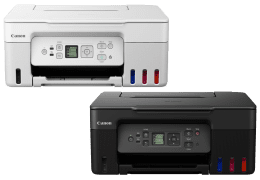
- Hardware: Canon PIXMA G3570.
- Type: Wireless all in one printer (Multifunction).
- Functions: Print, copy, scan.
- Use: Home and home office
- Connectivity: USB, Wi-Fi.
- Mobile printing: Canon PRINT, PIXMA Cloud Link, Wireless Direct, Apple AirPrint, Mopria.
- System requirements: Windows / Mac.
| Canon PIXMA G3570 | User Manual | Getting Started Guide |
 |
||
| English | English, French, Spanish | |
| 5.0 MB | 8.3 MB | |
| 472 pages | 59 pages | |
 |
|
❏ Start Here / Getting Started Guide
This document includes information on how to unpack, install, and configure the printer.
❏ User Manual
This manual provides overall information and instructions on using the printer, and on solving problems