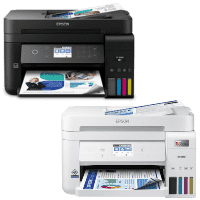
Epson ET-4850 Printer Manual
 | PDF manual |  | 285 pages |  | English |
Brief summary:
-
EcoTank system uses refillable ink tanks; fill only with genuine Epson ink.
-
Supports printing, copying, scanning and faxing; includes ADF for multi-page documents.
-
Connect via Wi-Fi, Wi-Fi Direct, USB, or LAN; can print from computers and mobile devices.
-
Paper is loaded through a front cassette; settings for paper size and type must match.
-
Touchscreen control panel provides access to all printer menus and quick setup options.
-
Regular maintenance required: nozzle check, head cleaning, alignment, ADF and glass cleaning.
-
Maintenance box collects waste ink and must be replaced when full.
-
Cloud printing supported through Epson Connect services.
-
Secure fax sending/receiving with memory storage and PC-Fax functions.
-
Power-saving and firmware update options to enhance efficiency and security.
Common Problems & Solutions (English)
Printer does not print
-
Check Wi-Fi/USB connection, ensure printer is selected, restart the printer and device.
Poor print quality (streaks, lines)
-
Run nozzle check, head cleaning and printhead alignment. Use correct paper and Epson ink.
Paper jam
-
Turn off printer, gently remove jammed paper from cassette, rear slot or ADF, reload properly.
Paper not feeding
-
Fan sheets, adjust guides, remove thick or wrinkled paper, do not overload the tray.
Scanner not working
-
Restart printer, ensure scanning software is installed, clean scanner glass and ADF rollers.
ADF issues (skewed or not feeding pages)
-
Check originals are flat and not damaged; clean ADF rollers; adjust guides snugly.
Wi-Fi connection drops
-
Move printer closer to router, restart network, reconnect via touchscreen network menu.
Maintenance box full
-
Replace maintenance box; cannot reset or bypass this alert.
Fax not sending/receiving
-
Check phone line connection, tone settings, and fax dialing method; verify number.
Ink levels incorrect after refill
-
Reset ink levels in printer menu after filling tanks while printer is ON.