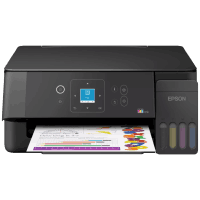
Epson ET-2922 Printer Manual
 | PDF manual |  | 268 pages |  | English |
Brief summary:
- The Epson is an all-in-one printer with printing, scanning, copying, and faxing capabilities.
- It includes an ADF (Automatic Document Feeder) for multi-page scanning and copying.
- The printer supports Wi-Fi, Wi-Fi Direct, USB, and Ethernet connections for flexible setup.
- It uses EcoTank refillable ink bottles instead of cartridges, reducing printing costs.
- Genuine Epson ink is recommended to avoid damage and maintain print quality.
- It supports manual two-sided printing and multiple paper sizes including Letter, A4, Legal, envelopes, and photo paper.
- Maintenance tools include printhead cleaning, nozzle check, alignment, power cleaning, and paper path cleaning.
- The printer provides LCD error codes to help diagnose issues like paper jams, Wi-Fi problems, and maintenance alerts.
- It supports Epson Scan 2, Epson Smart Panel, and Web Config for easier setup and management.
- The printer has a replaceable maintenance box when the ink pad reaches its service limit.
Frequently Asked Questions (FAQ) – Common Problems
Why is my Epson not printing?
Usually caused by low ink, Wi-Fi disconnection, paper loading issues, or clogged printheads. Running nozzle check and cleaning often fixes it.
Why does the printer show a paper jam error?
Paper may be stuck inside, loaded incorrectly, or damaged. Remove it carefully and reload clean paper.
Why is my print quality poor?
This often happens because of clogged nozzles, low ink flow, or incorrect paper type settings.
Why won’t the scanner work?
Check if Epson Scan 2 is installed and make sure the printer is properly connected to the computer or network.
Why can’t the printer connect to Wi-Fi?
Try WPS setup, Easy Connect, or re-enter the Wi-Fi credentials. Weak signal can also cause connection issues.
What does error E-13 mean?
The ink pad has reached the end of its service life and the maintenance box needs replacement.
Why does the printer keep disconnecting?
Possible causes include weak Wi-Fi signal, router interference, or power-saving settings.
Why are there ink smears on the paper?
This may happen if the paper path is dirty or unsuitable paper is being used. The manual recommends paper path cleaning.
Why won’t the printer recognize ink?
Make sure genuine Epson 522 ink bottles were used and the tanks were filled correctly.
How do I reset the Epson?
Go to Settings > Restore Default Settings to reset network and printer settings.